Resources
Resources are special sections of page, script, service and document .cms files. Note that resources are not supported in BO .cms files.
A resource is indicated with the keywords resource end-resource:
resource nameOfResource
    // Stuff goes here
end-resource
Each resource must have a name that is unique within the .cms file it appears in. Resources, unlike functions and conditions, do not take parameters.
A resource can be made private or protected (known as the access modifier). Private meaning it is only accessible from within the .cms file it appears in and protected meaning that it is also accessible from .cms files that inherit from this .cms file. By default, a resource is public.
A resource can contain on of the three following:
- Nothing (i.e.
null(), the resource is empty) - A property bag (this is most common)
- An expression which returns nothing (
null()) or a property bag
Effectively, a resource is a way to make a property bag re-usable as it can be accessed from within multiple places.
Look at the following example:
inherits 'base'

function main()

    response.write( '<div class="container">')
    response.write( formatString( '<h1>{0}</h1>', page.get( './test1' ) ) )
    response.write( formatString( '<h1>{0}</h1>', page.get( './test2' ) ) )
    response.write( formatString( '<h1>{0}</h1>', page.get( './test1' ) ) )
    response.write( formatString( '<h1>{0}</h1>', page.get( './test2' ) ) )
    response.write( '</div>')

end-function

resource test1
    < 'Hello world' >
end-resource

resource test2
    < random() >
end-resource
This would result in output along the following lines:
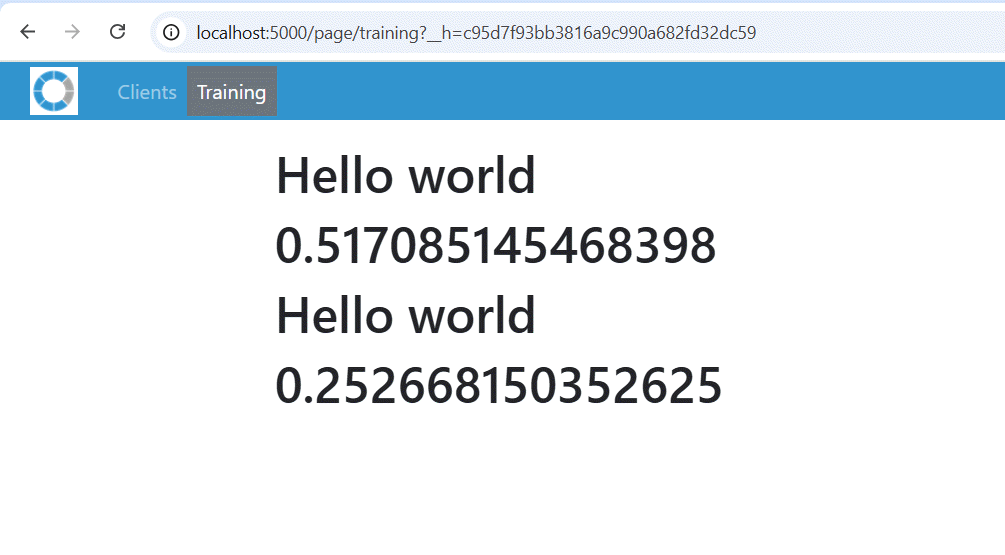
- We use
page.get()to access the property bag in the resource - We can use the resource multiple times, it is done from with one function here but could be from different places
- A resource contains a property bag but a property bag may have expressions (see
test2) - Expressions within a property bag are evaluated whenever you GET the resource, optionally use $-expressions to ensure the expression is re-evaluated whenever you refer to that specific tag within a property bag
You can get resources from another file using the following syntax (and assuming that resource is public):
page.get( 'training:test2' )
Note that each namespace has their own way of getting a resource:
| Namespace | Function |
|---|---|
| page | page.get() |
| script | script.get() |
| service | service.get() |
| document | document.get() |
The function to use is determined by the namespace of the file where the resource resides. It is thus perfectly possible to use script.get() from within a page .cms.
Note that bo.get() does not (yet) exists.
<End of document>