Pages - Base.cms and the Main Menu
Note that in the previous chapter all the router related .cms files are in the script namespace. Base.cms is part of the page namespace.
The Use of the Base.cms
The standard base.cms page is designed to be extended through inheritance.
Most CaseMaster systems will have a base.cms that looks similar to the following:
inherits '//runtime/base'

resource navbar
    // Definition of the main menu here
end-resource
Note: //runtime/base means the file base found in the runtime folder. See here for more information.
The key functions in runtime/page/base.cms are beginPage and endPage. Remember that these are called from web/router/page.
In between calling beginPage and endPage, the web/router/page script will call whatever script from whatever page as indicated by the url. This is why:
- Most (all?) pages will inherit from
base.cms base.cmsIn turn inherits from//runtime/base(thus the fileruntime/page/base.cms)base.cmsImplements the main menu//runtime/base.cmsImplements the necessary HTML plumbing- The developer only has to focus on the content of the page at hand
This may sound complex but simply look at base.cms as the page that defines the main menu...
The Main Menu
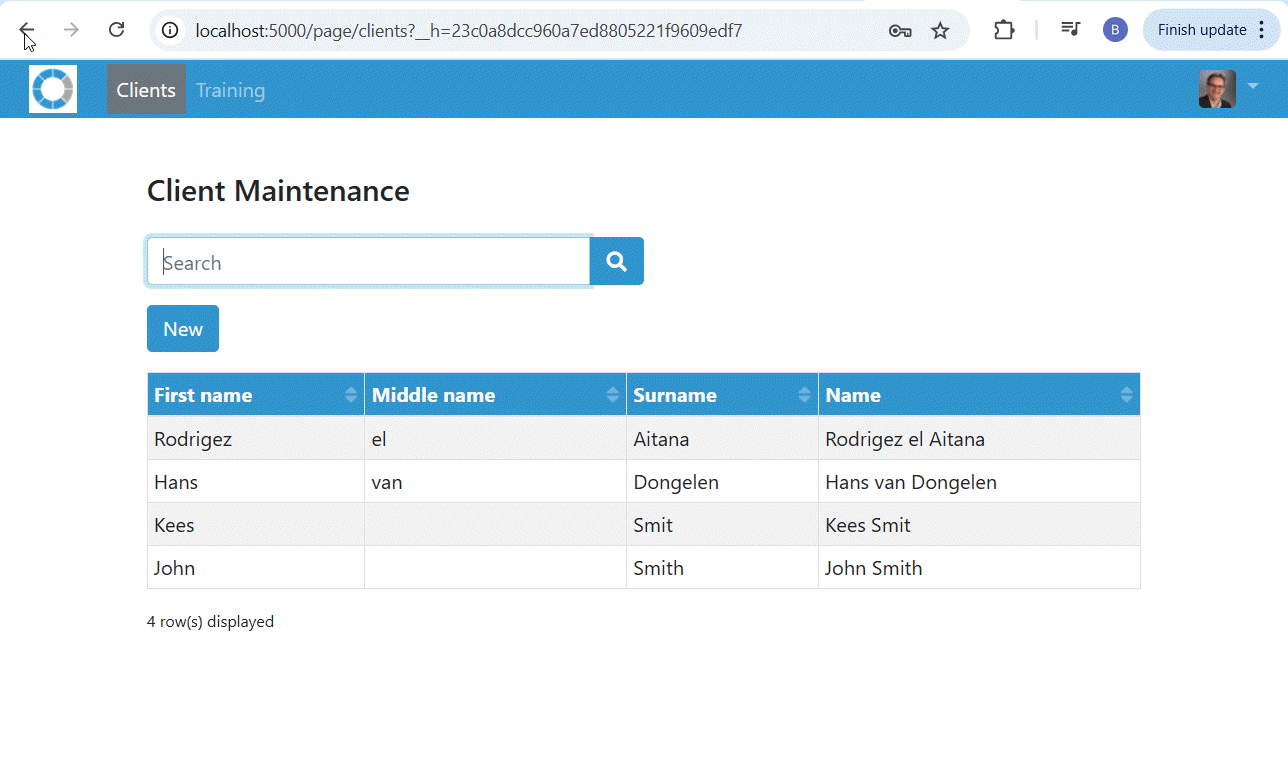
The main menu is implemented as a resource with the name navbar.
//runtime/page/base.cms Will use this resource to generate the main navigation in the correct place.
The following shows the base.cms used in the many code examples so far:
inherits '//runtime/base'                   // Our base.cms inherits from //runtime/base

resource navbar
     <@page/navbar                          // @page/navbar is a horizontal, top main menu, see Bootstrap for more information
        class: 'navbar-expand-lg navbar-dark fixed-top bg-secondary'
        content:<@page/content
            <@page/navbar/brand             // Special menu option showing image static/images/logo/navbar.png
                url: <@url
                    address: 'clients:main' // Clicking on logo takes you to home page, for this training aplication this
                                            // is the same as the clients menu option
                >
            >,
            <@page/navbar/hamburger         // Hamburger menu shown when
                excluded: not( session.isConnected() )
                                            // Means hamburger menu is only shown when user is logged in
            >
            <@page/navbar/container         // The menu item(s) on the left hand side (on a laptop / desktop)
                excluded: not( session.isConnected() )
                                            // Only shown when user is logged in
                content: <@page/content
                    <@page/navbar/link      // The first linke
                        label: 'Clients'    // Label
                        url: <@url          // URL (explained later)
                            address: 'clients:main'
                            qs: <
                                f: null()
                            >
                        >
                        active: eq( [//route.script], 'clients')
                                            // The active expression indicates whether this menu option is
                                            // shown as active or not. Makes clever use or //route.script
                    >
                    <@page/navbar/link      // The second menu option
                        label: 'Training'
                        url: 'training:main'
                        active: eq( [//route.script], 'training' )
                    >
                >
            >
            <@page/navbar/container         // The menu items on the right hand side (on a laptop / desktop)
                class: 'collapse navbar-collapse justify-content-end'
                excluded: not(session.isConnected()),
                                            // Only shown when user is logged in
                content: <@page/content
                    <@page/navbar/dropdown  // Use a drop-down, see Bootstrap for additional options
                        openLeft: true()
                        icon: <@page/image/gravatar
                                            // Use Gravatar for curent user as icon
                                class: "rounded"
                                emailAddress: $bo.attr(bo.user(), 'primaryEmailAddress->emailAddress')
                                title: $bo.attr(bo.user(), 'name')
                                size: 30
                        >,
                        content: <@page/content
                            <@page/navbar/dropdown/link
                                label: getTranslation('settings'),
                                url: <@url
                                    address: 'user/settings:main',
                                    persistQs: false()
                                >
                            >,
                            <@page/navbar/dropdown/divider>,
                            <@page/navbar/dropdown/link
                                            // Show confirmation message before activating link
                                label: getTranslation('logout'),
                                url: 'user/logout:main',
                                confirmation: 'Are you sure you want to log out?'
                            >
                        >
                    >
                >
            >
        >
    >
end-resource
This results in the following:
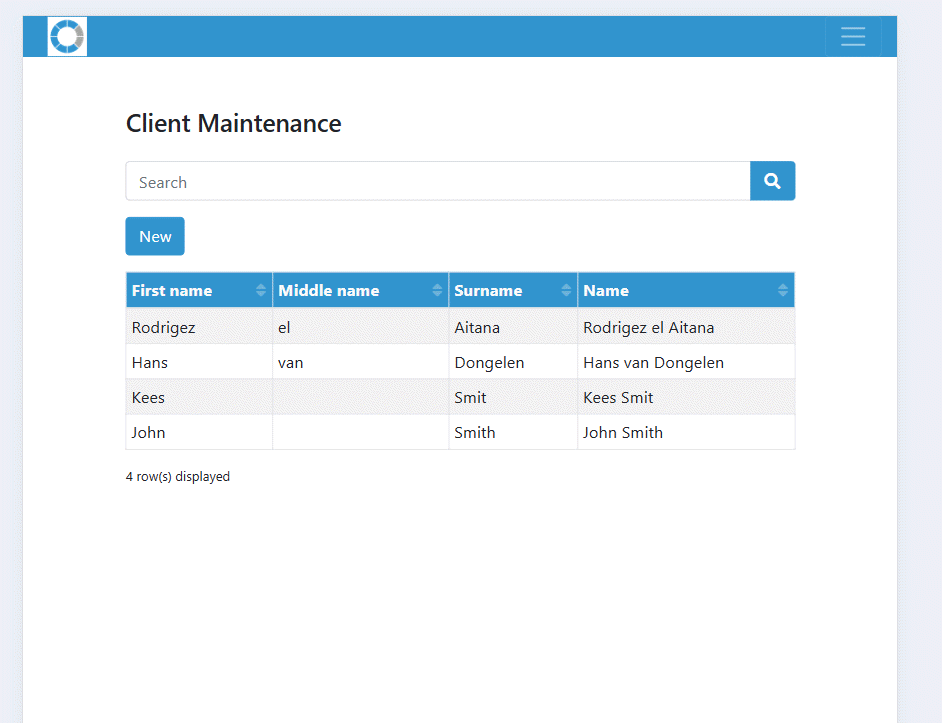
Which is fully responsive:
The Base layer
A separate section of this web site will be dedicated to what is known as the base layer. A set of .cms modules that offers a highly opinionated main navigation designed for speed of development.
<End of document>