Pages - Buttons, Links and URLs
Buttons
The <@page/button> qualifier is used to render an HTML button.
The following code render a page with a Click me! button:
inherits 'base'

function main()
    page.render( page.get( './main' ) )
end-function

resource main
    <@page/container
        content: <@page/content
            <@page/alert/info label: now()>
            <@page/button
                label: <@mlText 'Click me!'>
                url: '#'
            >
        >
    >
end-resource
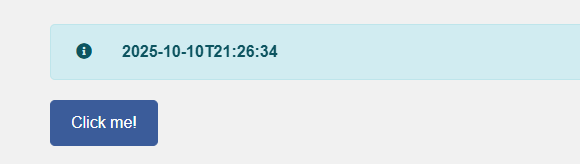
By default, <@page/button> renders a simple <a> with an href with the primary colour Bootstrap styling and a label (using the multi-language <@mlText> qualifier).
We will look at various variations of the button later.
URL
The button example in the previous paragraph has an URL. The url tag of @page/button can be a simple string that is interpreted as an address.
| Address | Usage |
|---|---|
# |
Go to the current page |
#abd |
Go to anchor abc on the current page |
~ |
The home page (of this application) |
abc |
Go to the function abc within the current page .cms file |
abc:def |
Go to the function def within the def.cms file |
Instead of a simple string, you can also use the <@url> qualifier which allow you to add query string parameters to the URL.
inherits 'base'

function main()
    page.render( page.get( './main' ) )
end-function

resource main
    <@page/container
        content: <@page/content
            <@page/alert/info label: ifNull( qs.get( 'what' ), 'Nothing to say...' )>
            <@page/button
                label: <@mlText 'Click me!'>
                url: <@url
                    address: '#'
                    qs: <
                        what: now()
                    >
                >
            >
        >
    >
end-resource
You can add any number of entries in the qs section of <@url>.
    url: <@url
        address: '#'
        qs: <
            a: 12
            b: 'hello'
            c: today()
        >
By default, any parameter in the query string that got you to this page will stay in the query string unless you take it out by setting the value to null().
    url: <@url
        address: '#'
        qs: <
            a: null()           // This will make a disappear from the query string
            b: 'hello'
            c: today()
        >
The default behaviour is that all entries in the incoming query string are automatically included in any outgoing URL generated from a page. You can override this by using the persistQS option of <@url>.
    url: <@url
        address: '#'
        persistQs: false()
        qs: <
            what: now()
        >
    >
The Untrusted Part of a URL
Have a look at a typical CaseMaster® URL:
https://server.9knots.co.uk/test/page/crm/list?type=1&__h=a1d21670fd64eccfca5901c707e75fd6
The __h parameter is automatically added by CaseMaster® and is known as the hash key.
The hash key is a checksum calculated over all the query string parameters to the left of the hash key and is used to protect the URL against tinkering. A user is not able to simply change a query string variable hoping to gain access to an unauthorized record.
Changing a trusted parameter means that the hash key no longer matches the parameters and will result in a fatal error.
Anything top the left of the hash key is known as the trusted QS.
Any parameters right of the hash key make up the untrusted QS.
In this example type is a trusted parameter and mode is an untrusted one. The user can change untrusted parameters without causing an error message.
https://localhost:5000/page/list?type=1&__h=a1d21670fd64eccfca5901c707e75fd6&mode=y
You can get the value of query string parameters using the qs.get() function. This is used to get trusted parameters. Use qs.getUntrusted() to get untrusted parameters.
- Trusted parameters are persisted by default. Overrule with the
persistQSoption - Untrusted parameters are not persisted by default. Overrule with the
persistUntrustedQSoption
You can explicitly include untrusted query string parameters as follows:
    url: <@url
        address: '#'
        persistQs: false()
        qs: <
            what: now()
        >
        untrustedQs: <
            whatUntrusted: now()
        >
    >
Why do we Support Untrusted Parameters?
Untrusted parameters can, for example, be added by a Javascript function or are included in an URL originating from an external system.
Links
<@page/button> is, behind the scenes, a special version of <@page/link> which is the qualifier to render low level click-able content.
The following example shows how <@page/link> and <@page/button> can render exactly the same button:
inherits 'base'

function main()
    page.render( page.get( './main' ) )
end-function

resource main
    <@page/container
        content: <@page/content
            <@page/alert/info label: now() >
            <@page/button
                label: <@mlText 'Click me!'>
                url: '#'
            >
            <@page/link
                class: 'btn btn-primary'
                content: <@mlText 'Click me!'>
                url: '#'
            >
        >
    >
end-resource
You can check all the possible tags of the <@page/link> qualifier by checking the qualifier/page/link.cms file but the most important tags are:
| Tags | Usage |
|---|---|
| class | Class(es) for the link |
| type | Type of link: button (default), submit, reset or null() |
| value | Value of link of type submit |
| url | URL to navigate to |
| javascript | Javascript to run on on-click, mutually exclusive with url |
| target | Specifies the navigation target; self (default), window, tab or modal or <@page/link/target> |
| content | The content of the link, use <@page/content> for complex content |
| confirmation | Optional confirmation message before navigation to url or evaluating javasrcript |
| excluded | Do not show the link when the excluded expression evaluates to true() |
| tooltip | Optional tool-tip when you hover over the link |
<@page/link/target>
The default target of a link (and thus a button which is a special type of link) is self.
Other simple targets are tab, window or modal.
| Target | Usage |
|---|---|
| self | Open page in current browser tab / window (replacing the current page), this is the default target |
| tab | Open page in a new browser tab |
| window | Open page in a new browser window |
| modal | Open page in modal window shown in the same page |
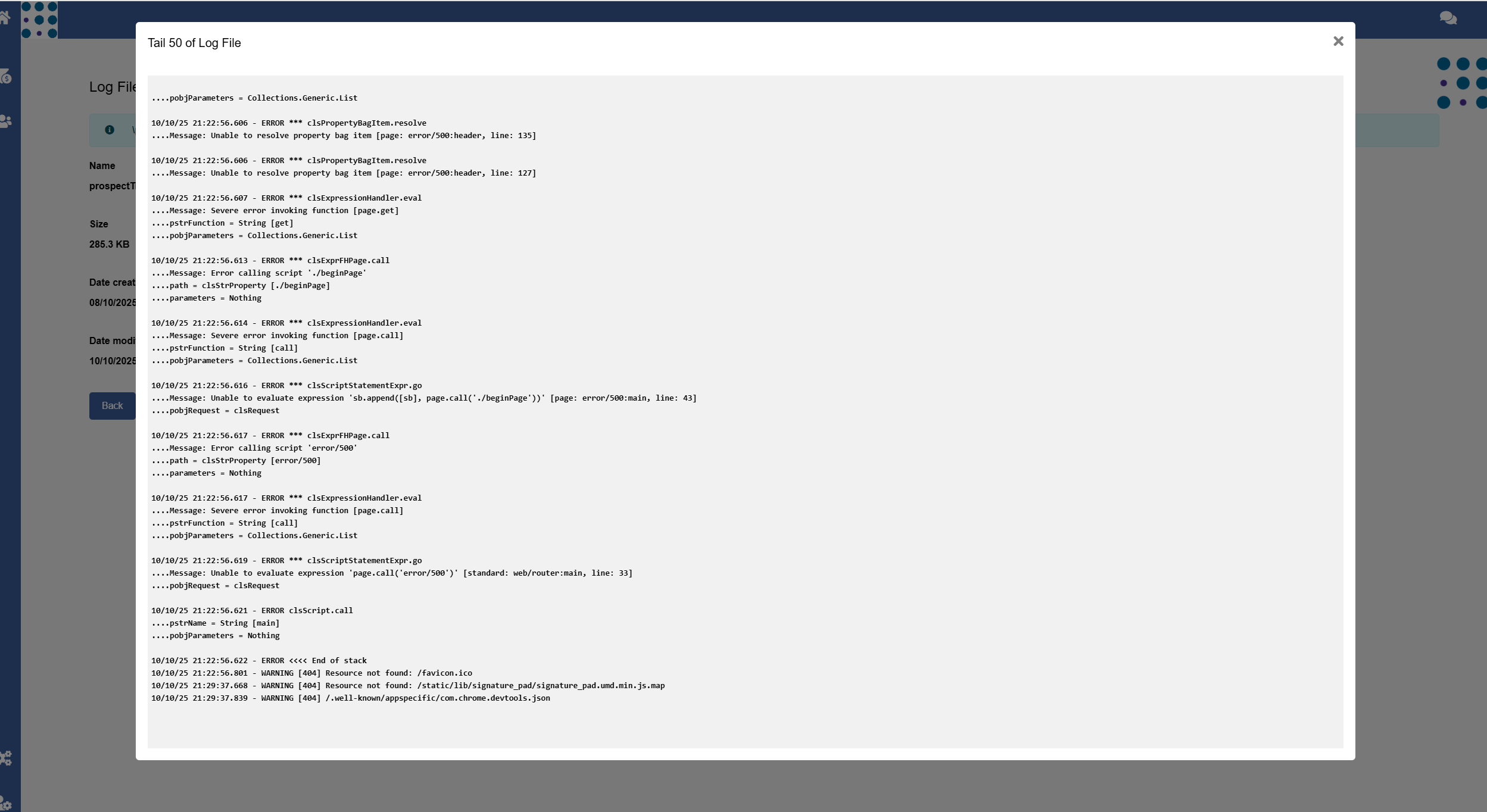
You have more control over a modal by using <@page/link/target/modal> as target:
    <@page/button
        label: <@mlText 'Tail 50'>
        url: <@url
            address: 'tail'
            qs: <
                lines: 50
            >
        >
        target: <@page/link/target/modal
            title: <@mlText 'Tail 50 of Log File'>
            size: 'xxl'
        >
    >
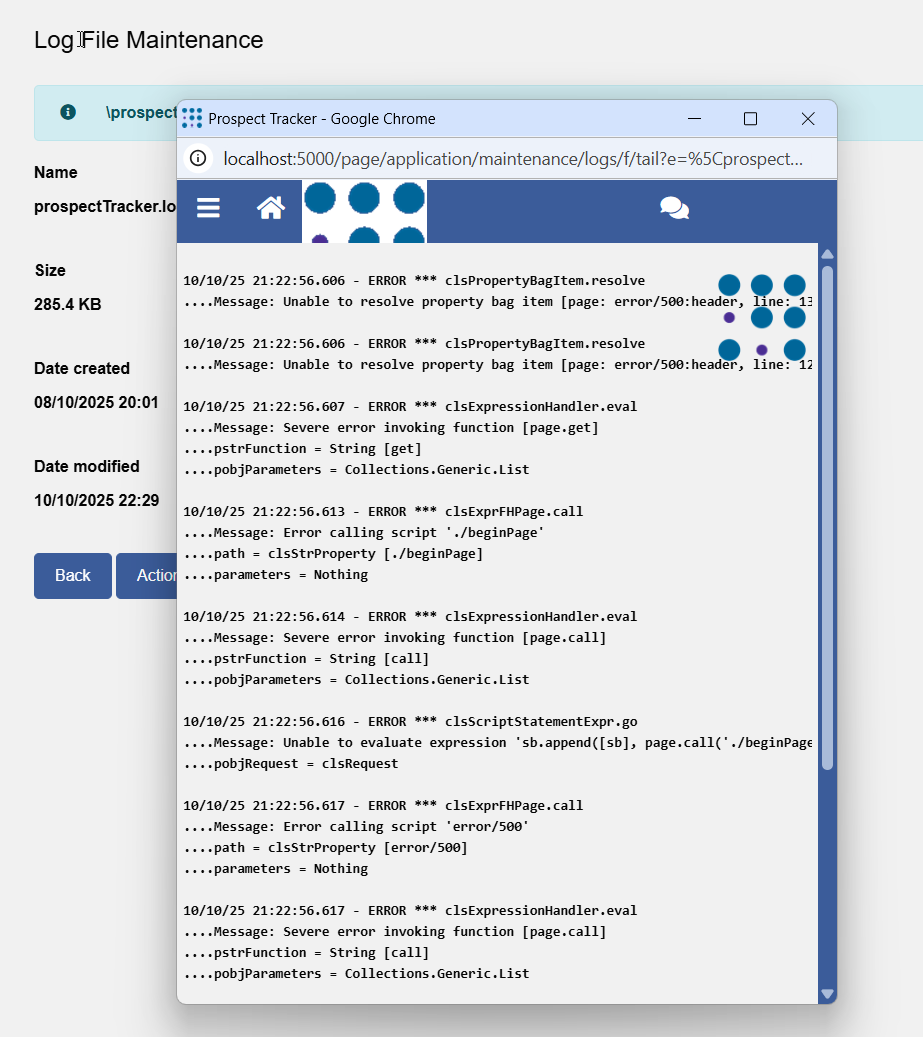
You have more control over a window by using <@page/link/target/window> as target:
    <@page/button
        label: <@mlText 'Tail 50'>
        url: <@url
            address:'tail'
            qs: <lines: 50>
        >,
        target: <@page/link/target/window
            height: 500
            width: 500
            left: 250
            top: 250
            menubar: false()
            status: false()
            titlebar: false()
        >
    >
More on Buttons
There are a number of different types of button-qualifiers that have been created to make it easier to add style-consistent buttons to your system. You can experiment with these buttons and check the qualifier implementation files for more details. The most important buttons are:
| Button | Usage |
|---|---|
<@page/button/add> |
Simple ref button with 'Add' label |
<@page/button/new> |
Simple ref button with 'New' label |
<@page/button/back> |
Simple ref button with 'Back' label |
<@page/button/link> |
Simple ref button with Bootstrap type btn-link |
<@page/button/view> |
Simple ref button to view a document (see Documents in action) |
<@page/button/reset> |
Simple reset button (relevant only for forms) with 'Reset' label |
<@page/button/cancel> |
Simple ref button with 'Cancel' label |
<@page/button/delete> |
Button with Bootstrap danger style and 'Delete' label (relevant for forms) |
<@page/button/export> |
Button with 'Export' label (relevant for lists) |
<@page/button/submit> |
Submit button with 'Submit' label (relevant for lists) |
<@page/button/download> |
Simple ref button with 'Download' label to download a document |
<End of document>