# Defining and Running Tests
CaseMaster® 2.0 has a built-in feature to create and quickly run (regression) tests.
Test scripts are .cms files in the test folder. Each test file can contain multiple tests.
A test is best explained using an example:
Assume we have a generic function that should return the vowels in a string. We want to test according to the following test:
| Input | Expected Result |
|---|---|
| Bertus Dispa | 4 |
| Yesterday | 5 |
| '' | 0 |
| ' ' | 0 |
| null() | 0 |
We create a .cms file save this in the test folder that has the following content:
function test1()
    set( 'result', script.call( '_fixers:countVowels', 'bertus dispa' ) )

    test.eq(
        actual:     [result],
        expected:   4
    )

end-function

function test2()
    set( 'result', script.call( '_fixers:countVowels', 'yesterday' ) )

    test.eq(
        actual:     [result],
        expected:   3
    )

end-function

function test3()
    set( 'result', script.call( '_fixers:countVowels', '' ) )

    test.eq(
        actual:     [result],
        expected:   0
    )

end-function

function test4()
    set( 'result', script.call( '_fixers:countVowels', null() ) )

    test.eq(
        actual:     [result],
        expected:   0
    )

end-function
In VSCode we ensure that the CaseMaster.Web.exe process is running and select the test icon in the left pane.
Our test file should show up, together with any other test files that may be present. You may have to refresh the test sets if your test file (or tests within it) do not show.
- F1
- Select the command
CaseMaster: Refresh Tests
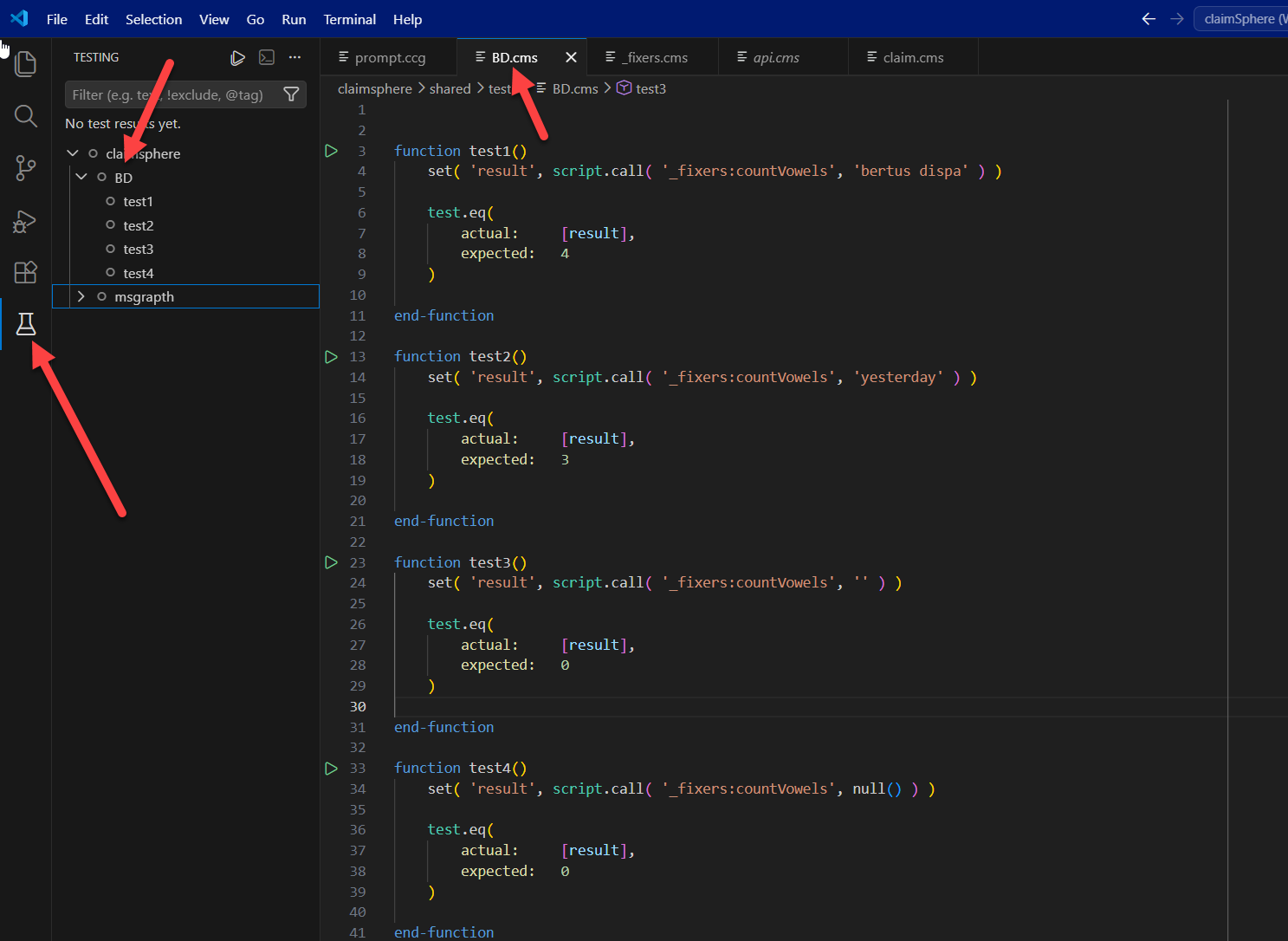
You can now right-click on any test file, any individual test or the node that represents your project (ClaimSphere in the screenshot) and run the test selection.
The CaseMaster® VSCode extension will run the selected tests and show the results. A possible outcome is shown in the following screen shot:
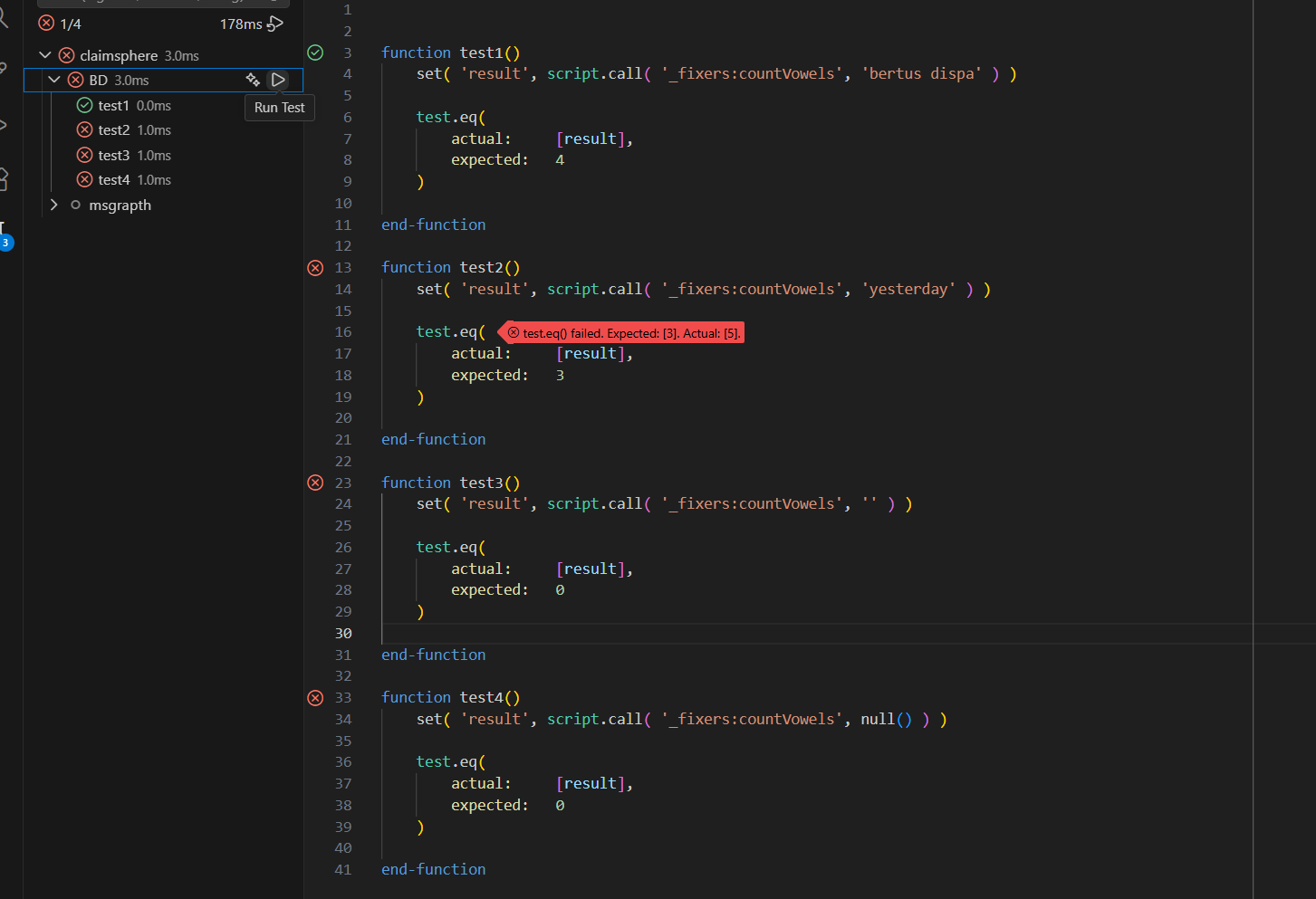
Tests that fail, will immediately flag up.
You can clear the results by clicking on thew ... in the header of the test pane and select Clear All Results.
There are 3 possible outcomes:
- The test passes (shows a green tick)
- The test fails (shows a red cross and a clear message)
- The code fails in another way (a red cross and a fatal error message will be shown in the VSCode test results window)
Setting-up a Test
Each test files consist of one or more functions. Each function typically consists of some code that invokes / calls the logic we want to test and stores the result and tests the result again the expected outcome.
The simplest scenario is where you test against the expected outcome:
    set( 'result', script.call( '_fixers:countVowels', '' ) )

    test.eq(
        actual:     [result],
        expected:   0
    )
First, we call a function and store the result. Next we compare the result using the test.eq() function. This function takes 2 or 3 parameters:
- The value we have (actual)
- The expected value (expected)
- An optional message (message)
The default message is something along the following lines:
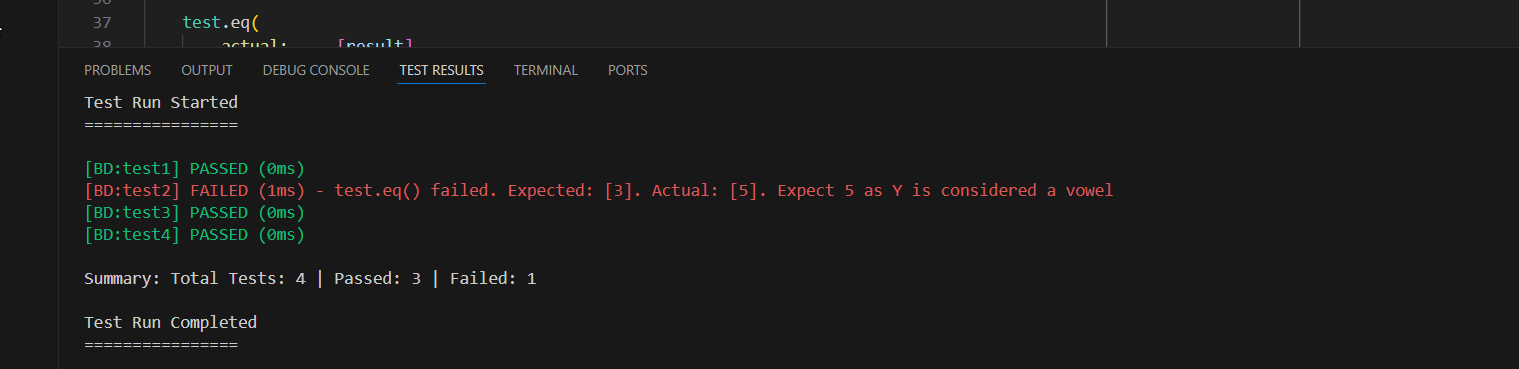
test.eq() failed. Expected: [x]. Actual: [y]
If a message is defined, it will be appended to the standard message.
The following is a possible result in the test results window:
Alternative
You can also wrap multiple tests in a single function:
function testCountVowels()
    test.eq(
        actual:     script.call( '_fixers:countVowels', 'bertus dispa' ),
        expected:   4
    )

    test.eq(
        actual:     script.call( '_fixers:countVowels', 'yesterday' ),
        expected:   5,
        message:    'Expect 5 as Y is considered a vowel'
    )

    test.eq(
        actual:     script.call( '_fixers:countVowels', '' ),
        expected:   0
    )

    test.eq(
        actual:     script.call( '_fixers:countVowels', null() ),
        expected:   0
    )

end-function
Just appreciate that the system will stop testing after it found a test that failed.
Available Test Functions
| Function | Use |
|---|---|
test.eq() |
Test an actual value against an expected value |
test.ne() |
Test an actual value against an not-expected value |
test.gt() |
Test an actual value to see whether it is greater than an expected value |
test.ge() |
Test an actual value to see whether it is greater than or equal to an expected value |
test.lt() |
Test an actual value to see whether it is less than an expected value |
test.le() |
Test an actual value to see whether it is less than or equal to an expected value |
test.isNull() |
Test whether an actual value is null |
test.isNotNull() |
Test whether an actual value is not null |
test.isError() |
Test whether an expression raises an error and show message when it does not |
test.isType() |
Test that a value is of a certain data type |
test.call() |
Call a function within a test .cms file |
test.get() |
Get a resource from a test .cms file |
function various()

    test.isType( 12, datatype.Boolean, 'Weird' )
// Flags error as 12 is a long, not a boolean

    test.isError( div( 10, 0 ), 'Weird' )
// Will not flag an error as expression is indeed an error

    test.isError( div( 10, 1 ), 'Weird' )
// Will raise an error as expression is not an error

end-function
reviewed: 24 July 2026
?
<End of document>