January 2025 (version 2.25.01.30)
reviewed: 7 October 2025
Tooling
- VSCode now displays a warning diagnostic when an invalid inheritance path is detected

- VSCode now displays an error diagnostic when a translation is invalid
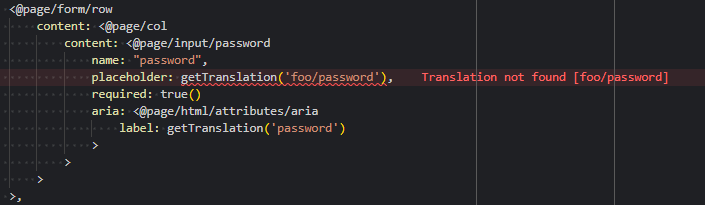
- Added GoTo and Peek support for translations in VSCode
- You can now
right-click(orCtrl+Hover/Click) to GoTo or Peek a translation, enabling you to view (and edit) translation values inline and navigate directly to the corresponding translation in the translation file
- You can now
Ctrl+Hover:
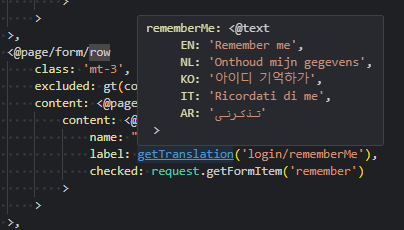
Right Click:

Inline Peek:
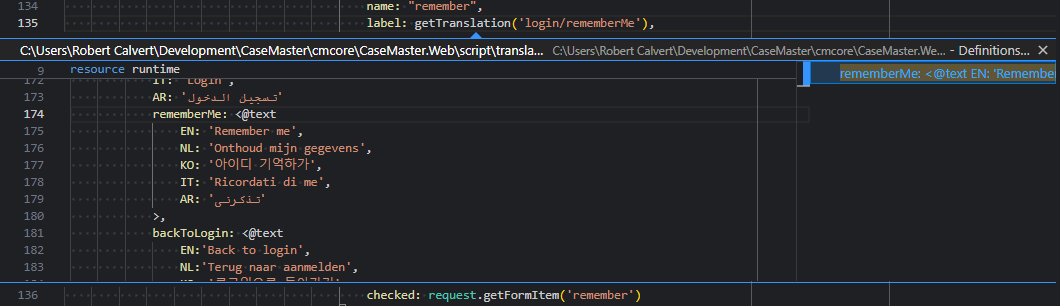
- Added GoTo and Peek support for @qualifiers in VSCode
- Similar to translations, you can now jump directly to the underlying qualifier code for seamless navigation and inline editing
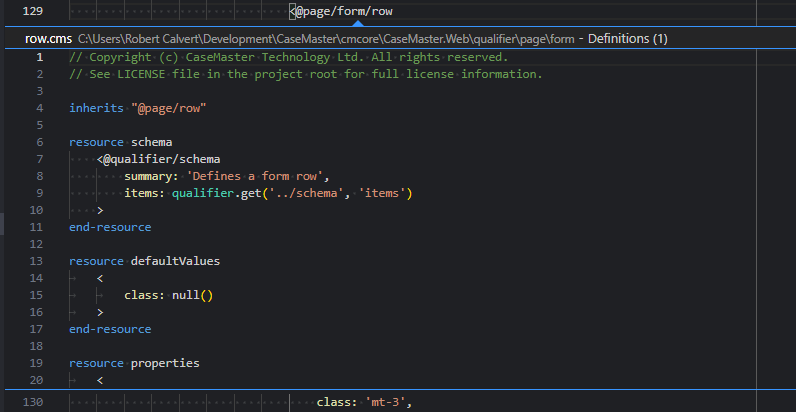
- Added GoTo and Peek support for script inheritance in VSCode
- Similar to translations, you can now jump directly to the parent script, enabling smoother navigation and inline editing

- Added tooling to open VSCode directly from the client browser
- In development mode with the VSCode layer enabled, you can now press
Ctrl+Alt+Vin the web browser to open the page function directly in VSCode - This feature opens the corresponding page and function as defined in the route for the current page's URL
- In development mode with the VSCode layer enabled, you can now press
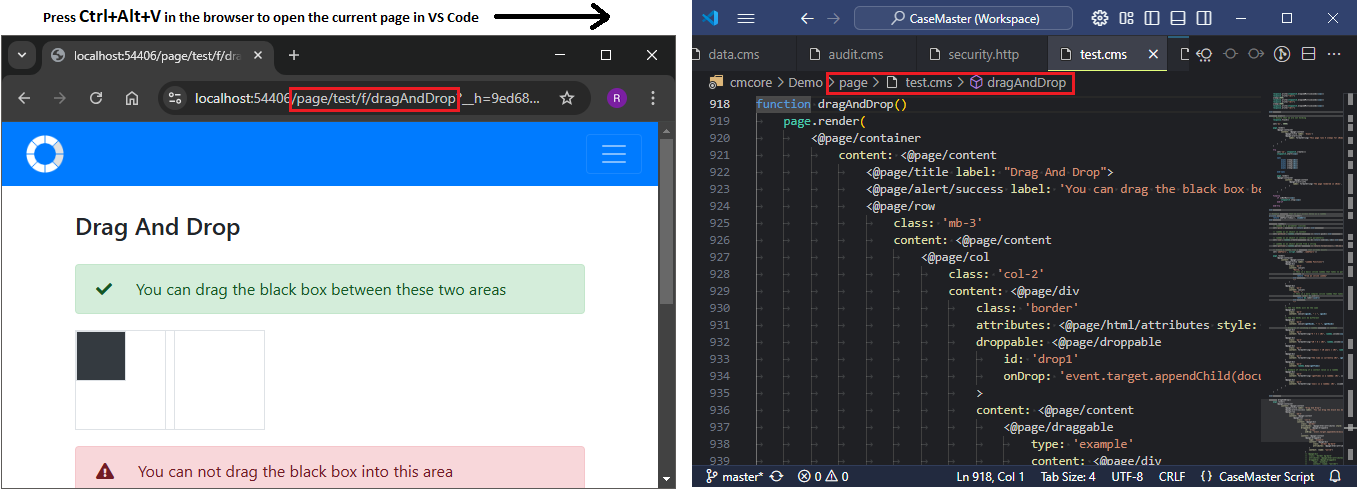
- Enhanced
@qualifierIntelliSense item summaries and documentation formatting- Properties now indicate whether they are mandatory or optional
- Added links to online documentation where applicable for easier access to additional resources

- Improved handler and function IntelliSense item summaries and documentation formatting for better clarity and readability
- Added a new snippet for Lambda functions

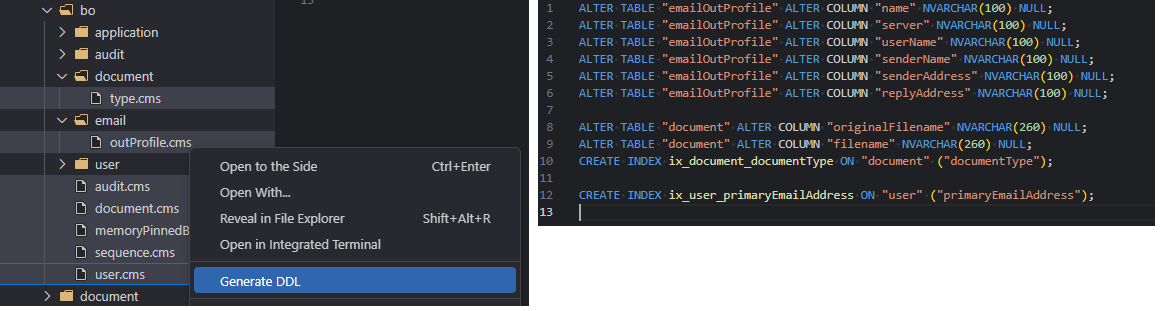
- Improved DDL generation by adding a new right click explorer menu entry for “Generate DDL”
- This also allows multi selecting Business Objects, to generate DLL for multiple Business Objects in one action
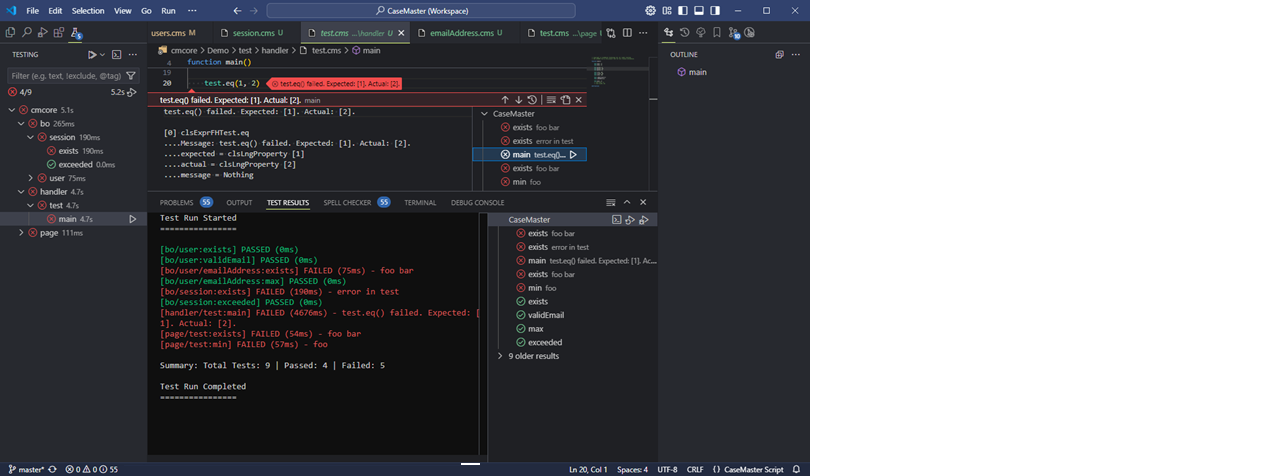
- Introduced CaseMaster Test Scripts (Unit Tests)
- A new script type has been added to facilitate testing
- Any public functions within scripts under the /test folder will now be detected by VSCode as tests
- A new test function handler has been included to help with writing and managing tests
New Functions & Features
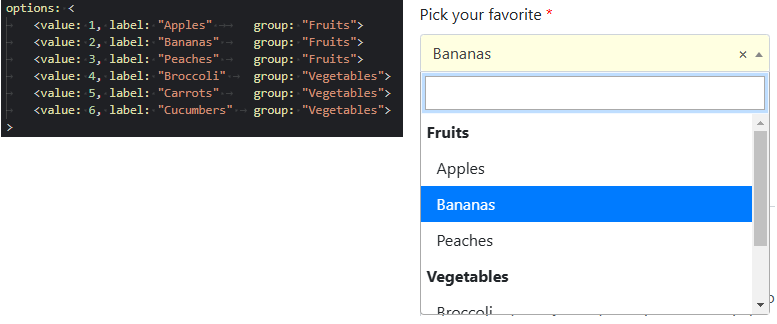
- Added support for select groups in attribute options
- Added
isGuid()function to validate if a string is a valid GUID - Added a new signature attribute and input type
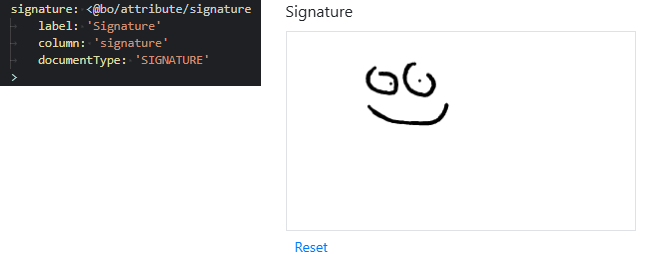
- Introduced drag and drop page qualifiers
- These qualifiers enable elements to become draggable and droppable
- Drops can be handled inline using JavaScript or managed by a named web service or lambda function
<@page/draggable><@page/droppable>
- Added
language.getTranslation( [language], [key], [value1...] )- This function allows retrieving a translation for a specified language
- Added a Personally Identifiable Information (PII) flag for attributes
- This feature helps easily identify and locate business objects and attributes that contain personally identifiable information
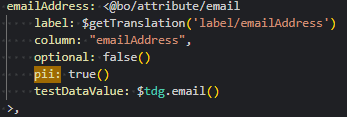
- Added the
tdg(Test Data Generation) function handler- This handler provides functions for generating random values for various types of information (e.g., telephone number, email, postcode, NIN, etc.)
- The data is driven by a CaseMaster test script, which can be customized or extended as needed
- This script has been designed to insure that the data generated is safe for testing
- Phone numbers, email address, postcodes, IP addresses, NINs etc. will never resolve to an IRL data point
- Currently the data is heavily EN based, but if links to resource providing information around test data for other regions can be provided we can integrate these as needed
- I.e. does NL provide a test range of NIN numbers, or reserved testing blocks for telephone and mobile numbers? etc.
- A new
<@bo/attribute>property,testDataValue, has been added to allow defining test data on the attribute level - A new
bo.setTestData( [bo], {group} )function has been introduced, which will evaluate and set the attribute defined test data values against the business object
- A new
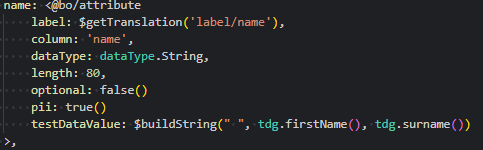
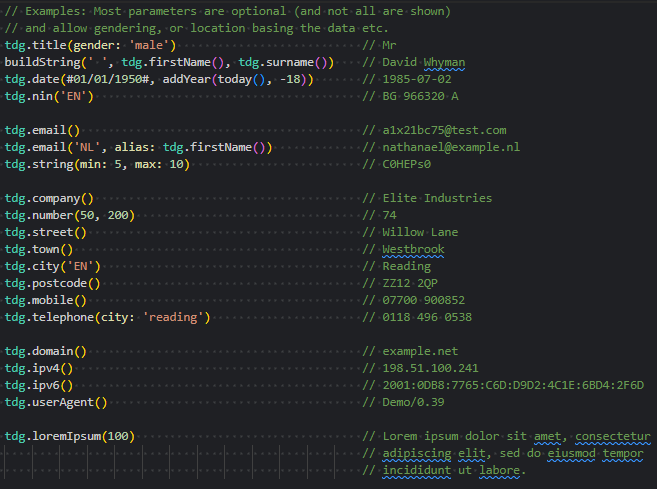
- Added a
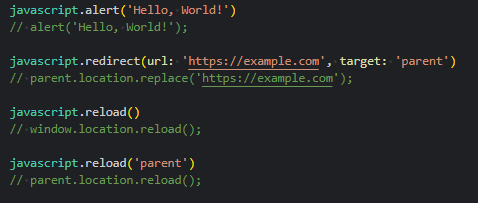
JavaScriptfunction handler- This handler allows for quickly generating JavaScript statements for set actions, and can be integrated anywhere that accepts JavaScript
- The handler will take care of any encoding and escaping
Enhancements
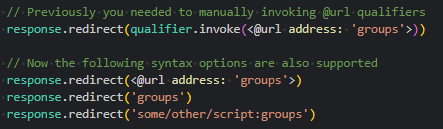
- Functions that accept a URL as a parameter now directly support
@urlvalues and path syntax values- Manually invoking
@urlqualifiers is no longer necessary (but still supported)- For backward compatibility, a null path syntax will resolve to the base URL (
~) - While a null
@urladdress will continue to resolve to the current URL (#).
- For backward compatibility, a null path syntax will resolve to the base URL (
- Manually invoking
- Added excluded support to
<@page/table/row> - Added search group to the
sequenceBusiness Object- The maintenance search filter now works as expected
- Updated the user login expiration page to utilize translations
- Implemented updates based on penetration testing feedback:
- Only users in the development group can add users to the development group
- Removed the default SqlRS batch size limit of 999,999
- Added excluded support to
<@page/title> - Added
minandmaxsupport to therandom()function - Improved accessibility support with ARIA attributes (WCAG)
- Query string parameter names no longer encode $ prefixes (enhanced OData query support)
<@page/data/form>setFocusnow sets focus on any named element in the DOM- Invalid file paths in the URL are now handled as a 404 repose
- These were previously unhandled and resulted in a 500 response
- Whilst not a security issue, this was sometimes flagged in penetration testing
Bug Fixes
- Fixed a parse error when a lambda string starts with whitespace
- Resolved an issue where context getter values were not included in trace expression live dumps
- Fixed user login expiry prompts incorrectly displaying for systems using OAuth login
- Fixed the invalid reports row exclusion, that prevented active reports from displaying for some users
- Fixed an issue where
boDesc.setAttrDocumentType()incorrectly set the type as a Boolean